- Field Service Management (FSM)
- Plumbing Emergency Dispatch
- Plumbing Scheduling
Plumbing Emergency Dispatch: Protect Scheduled Maintenance with FSM Software
A practical plumbing emergency dispatch model uses defined priorities, protected capacity, and real-time rerouting so urgent calls can be absorbed without automatically rebuilding the entire day. Field service management software for plumbing companies helps teams respond quickly while preserving scheduled maintenance commitments, updating technicians, and communicating changes to customers.
KEY TAKEAWAYS
- Emergency, repair, installation, and recurring maintenance work should be configured as separate work order types with distinct rules and service windows.
- Capacity buffers should be based on historical emergency demand by day, territory, season, and technician skill—not a fixed percentage copied from another contractor.
- Real-time location, availability, skill, and job-status data help dispatchers compare downstream schedule impact when selecting a qualified technician.
- Automated notifications can keep customers and technicians on the same updated plan; availability depends on package and configuration.
- In one customer story, Snake ‘n’ Rooter reported almost 20% higher dispatch productivity (7.5 hours saved per week) and a 10% uptick in jobs completed per technician per month after adopting Praxedo; results vary by operation and configuration.
Why Do Emergency Calls Disrupt Plumbing Schedules More Than They Should?
Emergency calls are harder to absorb when dispatchers lack real-time visibility and the schedule has no planned flexibility for urgent work.
The urgency is real. The U.S. Environmental Protection Agency’s leak detection guidance explains that early detection can limit water waste and property damage. But abandoning the plan for every urgent call creates another problem: missed maintenance commitments, frustrated customers, overtime, and route churn.
Plumbing emergency dispatch refers to triaging, prioritizing, assigning, and communicating urgent work while protecting committed appointments. The difference is whether the operation has rules for absorbing emergencies.
|
Dispatch decision |
Manual response |
FSM schedule-protection response |
|
Who takes the urgent call? |
Call or text technicians until someone answers. |
Filter by current status, location, skills, service area, and downstream schedule impact. |
|
Which appointment can move? |
Choose the job that seems easiest to call about. |
Compare contract priority, service window, travel time, and the cost of moving later commitments. |
|
Who gets an update? |
Rely on the dispatcher to remember every call and text. |
Trigger technician and customer notifications from schedule or job-status changes. |
|
How is success measured? |
The emergency was solved, but the damage to the day is hidden. |
Track emergency response separately from on-time arrival and maintenance completion. |
How Does Plumbing Emergency Dispatch Use Priority Rules And Buffer Scheduling?
A practical starting configuration is defined before the first call: separate the work types, define response commitments, and reserve flexible capacity based on the emergency volume your company experiences.
Praxedo lets teams configure repair and preventive-maintenance work orders separately, schedule recurring visits, centralize scheduling constraints, and organize technicians by service area and skills. A practical plumbing setup can use those building blocks in five steps:
- Classify severity: Distinguish active damage or safety risks from same-day urgent work, normal repair, installation, and recurring maintenance.
- Define committed windows: Protect fixed appointments and contract obligations. Identify which jobs can move within a promised window without becoming a missed commitment.
- Calculate flexible capacity from history: Review emergency arrivals by weekday, season, territory, and skill. Reserve calendar blocks, a flex technician, or controlled open capacity where the data supports it.
- Set overflow rules: Decide when to use an on-call plumber, an adjacent service zone, an approved subcontractor, or overtime.
- Create a displacement rule: Move the lowest-impact eligible appointment, record the reason, and reinsert it inside its allowed completion window. Never let an emergency make planned work disappear.
Avoid copying a fixed buffer percentage from another contractor; test protected capacity against your own emergency-call history, seasonality, territory, and skills mix. A contractor facing seasonal frozen-pipe demand needs a different model than a commercial maintenance provider with predictable routes. Adjust the buffer as schedule churn and overtime data improve.
How Does Plumbing Emergency Dispatch Reroute Technicians In Real Time?
Real-time rerouting compares the urgent job with live technician status, location, skills, existing commitments, and travel time, then evaluates qualified options by their effect on later appointments.
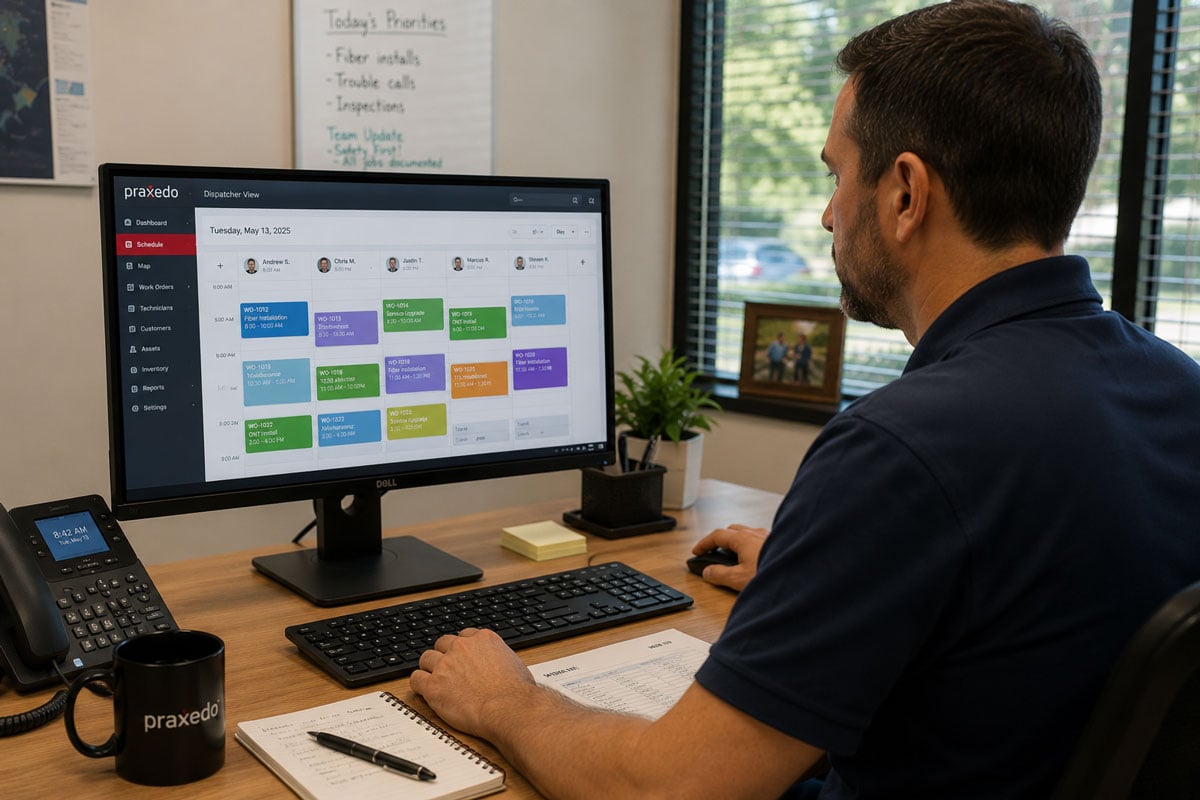
With Praxedo’s SmartScheduler, planners can evaluate operational constraints and travel distances and view whether technicians are available, driving, or working. When Automatic SmartScheduler is included and configured, schedules can be continuously re-optimized and updates sent to the mobile app.
A reliable mid-day sequence is straightforward: qualify the emergency, identify qualified options, compare the effect on later appointments, assign the least-disruptive technician, and synchronize the plan. The nearest plumber may lack the skill, parts, or time needed to protect a later high-priority appointment.
Technicians should work from the updated mobile schedule instead of a separate text thread. That keeps instructions, location details, customer history, and reporting connected while dispatch retains a real-time view of progress.
How Can Plumbing Companies Protect Recurring Maintenance Contracts During Emergency Demand?
A practical way to protect recurring maintenance is to give each commitment an explicit service window and a documented rescheduling rule—not treat maintenance as filler that disappears whenever an emergency arrives.
- Generate recurring work orders from the maintenance contract, site, or serviced asset.
- Separate hard commitments from flexible visits so the dispatcher knows what can move and by how much.
- Set the permitted service window plus required skills, territory, equipment, and customer availability constraints.
- Maintain a visible catch-up queue for any appointment displaced by an emergency, with a new owner and due date.
- Review schedule churn daily to see whether the same contract customers are repeatedly absorbing disruptions.
Buffer scheduling means reserving capacity or flexible appointment space so urgent work can be absorbed without automatically canceling scheduled jobs. Recurring work orders and maintenance plans give dispatchers a structured obligation to reschedule rather than a forgotten whiteboard item.
How Should Plumbing Companies Communicate Schedule Impacts To Customers?
Customer communication should be triggered by the schedule or work-order status change, not left to the dispatcher’s memory during the busiest part of the day.
Praxedo’s automated customer notifications can send configurable email or text messages when selected events occur. Depending on the selected modules and configuration, a plumbing company can build a sequence that includes appointment confirmation, status-based timing updates, technician departure and ETA, self-service rescheduling, and completed work-order reports.
The Appointment Portal can let customers select or modify a time slot and receive appointment information. Appointment Portal, messaging, and Automatic SmartScheduler availability may depend on the selected package or add-on, so confirm the final workflow during solution design.
The service standard is simple: customers should hear about a changed arrival window before they need to call. The message should state what changed, the new expectation, and the next action. That can reduce uncertainty and help preserve customer confidence when the schedule must move.
What Kpis Show Whether Emergency Dispatch Is Protecting The Schedule?
A useful KPI set measures both sides of the operating promise: how quickly emergencies are handled and how reliably scheduled work is still completed. Depending on configuration and available data, performance dashboards or custom calculations can track:
- Emergency response time: from call qualification to technician arrival.
- Emergency jobs within target: the percentage completed inside the company’s defined response commitment.
- Scheduled appointment on-time rate: so urgent work does not hide declining reliability elsewhere.
- Maintenance completion within contract window: the clearest measure of whether recurring work remains protected.
- Schedule churn after the day starts: the number of appointments moved, reassigned, or delayed after dispatch begins.
- First-time completion and repeat visits: to confirm that speed is not creating avoidable second trips.
Praxedo’s Snake ‘n’ Rooter customer story reports almost 20% higher dispatch productivity, equal to 7.5 hours saved per week, and a 10% increase in jobs completed per technician per month. The figures do not isolate emergency handling, but they illustrate why plumbing teams may want to measure dispatch performance across the full workflow. These are customer-reported results; results vary by operation and configuration.
Frequently Asked Questions
How does Praxedo’s scheduling handle emergency plumbing calls when the daily schedule is already full?
Praxedo can help dispatchers identify a qualified available technician, compare the urgent job against current constraints, and reschedule eligible lower-impact work according to configured service-window rules. Results depend on defining emergency severity, skills, territories, contract windows, and overflow rules. When Automatic SmartScheduler is included and configured, affected schedules can be recalculated and updates sent to technicians.
What customer communication triggers are available in Praxedo for emergency service dispatch?
Praxedo can send email or text notifications from selected events, including appointment confirmation, status changes, technician departure, revised timing, and completion. Wording and recipients are configurable. The Appointment Portal can support self-service rescheduling and ETA communication. Exact capabilities depend on purchased modules and configuration.
How do plumbing companies configure FSM to protect recurring maintenance contracts while staying responsive to emergencies?
A practical configuration uses recurring work orders, hard and flexible service windows, capacity based on historical emergency demand, and a visible catch-up queue. Urgent work takes the best eligible slot under the company’s rules; it does not erase the maintenance obligation. Track completion within the contract window as a separate KPI.
Can Praxedo track emergency response time as a separate KPI from scheduled appointment performance?
Praxedo’s configurable dashboards and Analytics can support separate tracking of emergency and scheduled work when the necessary work-order types, timestamps, service commitments, and calculations are configured. Confirm the final KPI definitions during implementation so they match the company’s operating rules.
Protect the schedule while staying ready for emergencies
Emergency responsiveness and maintenance reliability do not need to compete. A strong dispatch model defines priorities, protects capacity, reroutes from live information, and communicates every change from one system. That gives dispatchers control and technicians the tools to do their best work, every day.
See how the workflow would map to your service areas, contracts, and call volume: Book Your Personalized Demo.

Our similar articles.
-
- Field Service Management (FSM)
How to Calculate the Full Estimated Per-Job Cost of Spreadsheet Dispatch vs. FSM Software
August 17, 2026
-
- Field Service Management (FSM)
FSM vs. CRM for Telecom Field Service: A Decision Guide for Telecom Operations Leaders
August 17, 2026
-
- Field Service Management (FSM)
- HVAC Software
- Praxedo vs Jobber
Praxedo vs. Jobber for HVAC: Choosing the Right FSM as Your Team and Job Volume Grow (2026)
August 19, 2026